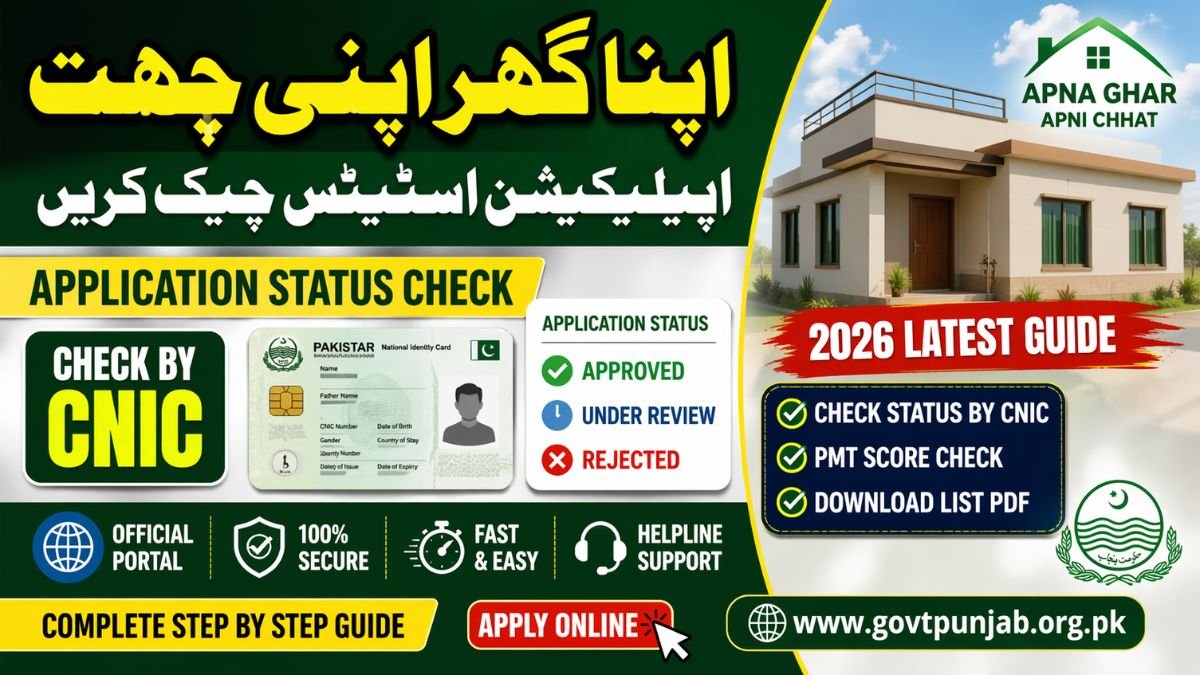
The Apna Ghar Apni Chat Scheme 2026, officially known as the ACAG Punjab program, is one of the most impactful housing initiatives launched by the Punjab government. It aims to provide affordable housing solutions to low-income families who struggle to own a house. Imagine living your entire life in rented spaces, constantly shifting homes—this scheme is designed to break that cycle and give people a permanent roof over their heads.
According to official data, the program targets 100,000 housing units across Punjab, with a long-term plan to uplift living standards and reduce housing shortages . Even more interesting, recent reports indicate over 1.88 million registrations have already been submitted, showing just how massive the demand is . That’s not just a number—it reflects millions of dreams waiting to turn into reality.
Government Vision & Housing Targets
The vision behind this scheme goes beyond just providing homes. It’s about building communities, improving living conditions, and creating economic opportunities. The government expects this initiative to generate hundreds of thousands of jobs in construction and related sectors, boosting the economy while solving a social issue.
Key Features of ACAG Punjab Program
- Interest-free or low-cost housing support
- Fully digital application and tracking system
- Transparent selection process
- Easy installment plans
- Coverage across all Punjab districts
Why Application Status Check is Important
Once you’ve applied, the next natural question is: What’s happening with my application? This is where the Apna Ghar Apni Chat application status check becomes crucial. It’s not just about curiosity—it’s about staying informed and proactive.
Real-Time Tracking Benefits
The ACAG portal allows you to monitor your application in real time. Instead of visiting government offices or waiting endlessly for updates, you can check everything online within seconds. This digital transformation ensures transparency and fairness for all applicants .
Avoiding Delays & Rejections
Regularly checking your status helps you:
- Identify missing documents
- Fix errors quickly
- Stay updated on verification progress
- Respond to notifications on time
Skipping this step is like applying for a job and never checking your email—you might miss a golden opportunity.
Apna Ghar Apni Chat Status Check by CNIC
Checking your application status is incredibly simple. The system is designed for ease of use, even for first-time users.
Step-by-Step Method
- Visit the official ACAG Punjab portal
- Enter your CNIC number (without dashes)
- Click on “Check Status”
- View your application progress instantly
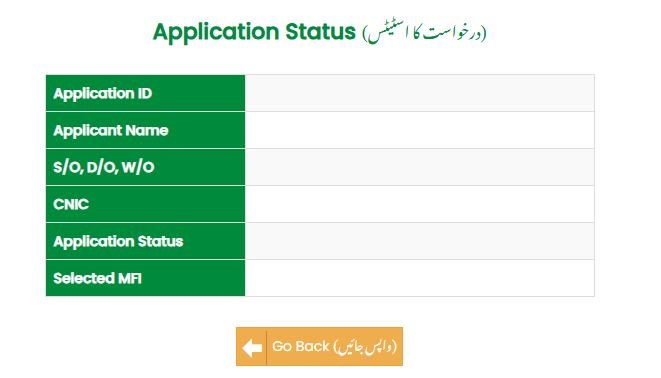
This process takes less than a minute but provides valuable insights into your application stage.
Common Errors & Fixes
Sometimes users face issues like:
- Incorrect CNIC format
- Portal loading errors
- Missing PMT record
If you encounter errors like “PMT record not found,” you may need to visit the NSER office to update your data .
Understanding Application Status Messages
When you check your status, you’ll see different messages. Understanding them is key to knowing your next step.
Under Review vs Approved
- Under Review: Your application is being verified
- Approved: Congratulations! You’re selected
Think of it like a job application—“under review” means you’re still in the race.
Rejected & Pending Documents
- Rejected: You didn’t meet eligibility criteria
- Pending Documents: Additional documents required
Each status message is a signal telling you what action to take next.
ACAG Portal Login System
The Apni Chat Apna Ghar login portal is your personal dashboard. It’s where everything happens—status tracking, document uploads, and updates.
Login Steps Explained
- Go to the official website
- Click on the login button
- Enter CNIC and password
- Access your dashboard
The system is simple, but powerful. Once logged in, you can manage your entire application.
Registration Process for New Users
If you’re new:
- Register using CNIC and mobile number
- Create a password
- Verify via OTP
- Submit registration
After this, you can log in anytime and track your application.
PMT Score Check & Eligibility
The PMT (Proxy Means Test) score plays a major role in determining eligibility. It’s like a financial health score that decides whether you qualify.
What is PMT Score?
The PMT score is calculated based on:
- Income level
- Family size
- Living conditions
- Assets
Applicants with a PMT score of 60 or less are typically eligible .
How to Check PMT Score
- Visit the portal
- Enter CNIC
- Open eligibility section
- View your score
A lower score increases your chances of approval.
Application Status List PDF Download
Many applicants prefer checking their status through the official PDF list.
How to Download Official List
- Visit the official portal
- Look for “Selected Candidates List”
- Download PDF
How to Search CNIC in PDF
- Open PDF
- Press Ctrl + F
- Enter CNIC
- Check your status
Always rely on official sources to avoid misinformation.
Benefits of Apna Ghar Apni Chat Scheme
This scheme is more than just housing—it’s a life-changing opportunity.
Financial Support & Loans
- Loans up to PKR 1.5 million
- Easy monthly installments (~PKR 14,000)
- Interest-free or subsidized options
Social & Economic Impact
- Improved living standards
- Job creation
- Better infrastructure
- Community development
Owning a home isn’t just about walls—it’s about stability, dignity, and security.
Common Mistakes to Avoid
Many applicants get rejected due to simple errors:
- Incorrect CNIC
- Fake documents
- Incomplete forms
- Multiple applications
Double-check everything before submission to avoid disappointment.
Latest Updates 2026
The latest updates have made the system faster and more transparent:
- Improved CNIC tracking system
- Faster verification process
- Online PDF lists
- Enhanced helpline support
These updates ensure a smoother experience for applicants.
Conclusion – Apna Ghar Apni Chat Application Status Check 2026
The Apna Ghar Apni Chat application status check by CNIC is a simple yet powerful tool that keeps you informed throughout the process. With millions of applicants and limited housing units, staying updated is not optional—it’s essential.
By using the ACAG portal regularly, understanding your PMT score, and avoiding common mistakes, you significantly increase your chances of success. This scheme represents a major step toward affordable housing in Punjab, offering hope to families who dream of owning a home.
FAQs
1. How can I check Apna Ghar Apni Chat status by CNIC?
Visit the official portal, enter your CNIC, and click “Check Status” to view your application progress.
2. What does “Under Review” mean?
It means your application is still being verified and has not been finalized yet.
3. What is the PMT score requirement?
Applicants must have a PMT score of 60 or below to qualify.
4. Can I download the selected candidates list?
Yes, the government releases an official PDF list that you can download and search using your CNIC.
5. What should I do if my application is rejected?
Review the reason, correct errors, update documents, and reapply if eligible.